Visual Workflow Editor

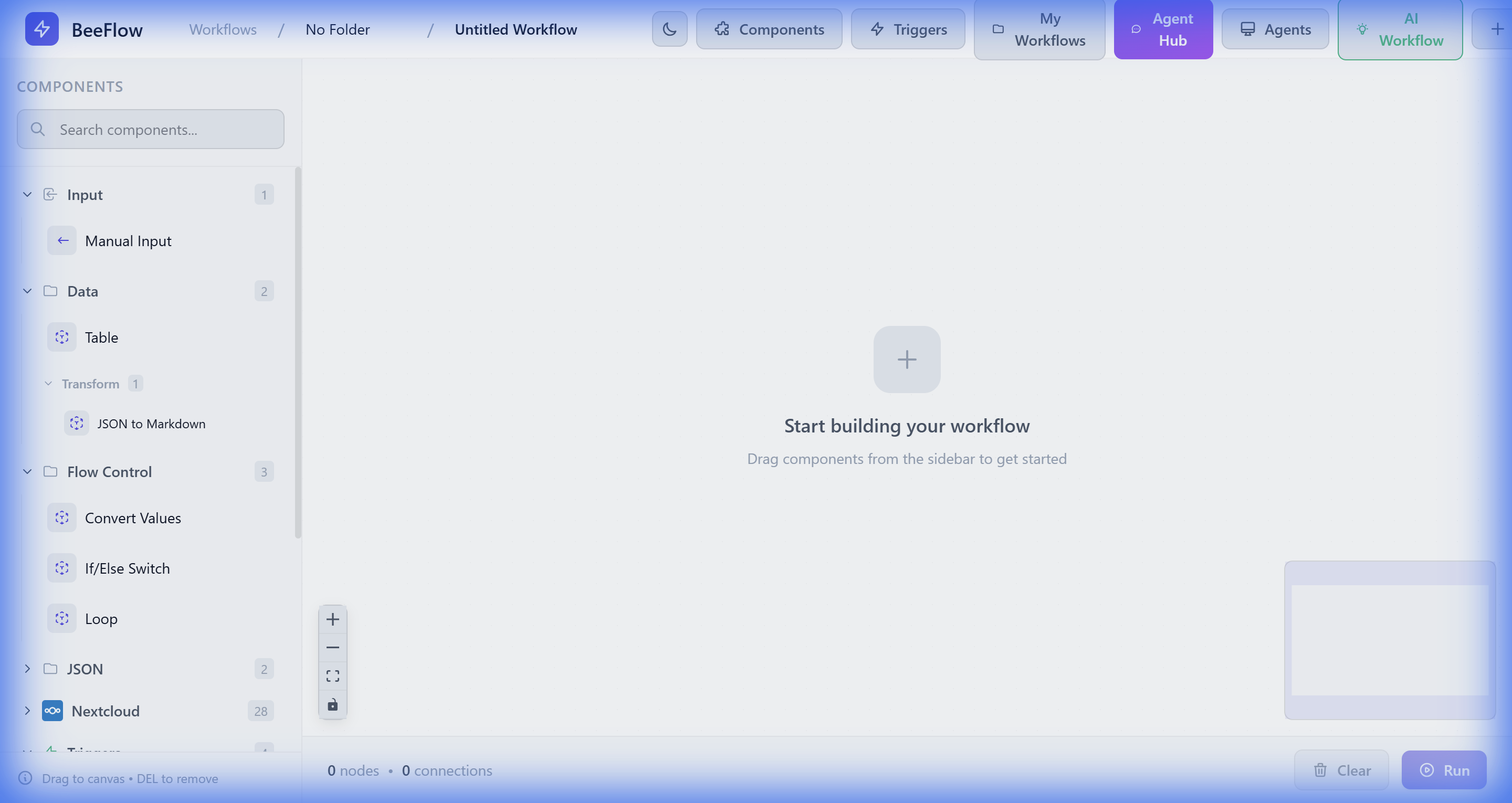
The workflow editor provides an intuitive drag-and-drop interface built on React Flow. Design complex automation logic by connecting components visually.

  • ✓ Drag components from the sidebar
  • ✓ Connect nodes with visual edges
  • ✓ Configure parameters inline
  • ✓ Real-time validation
  • ✓ Auto-save functionality
Workflow Editor

See It In Action

Creating a workflow with AI

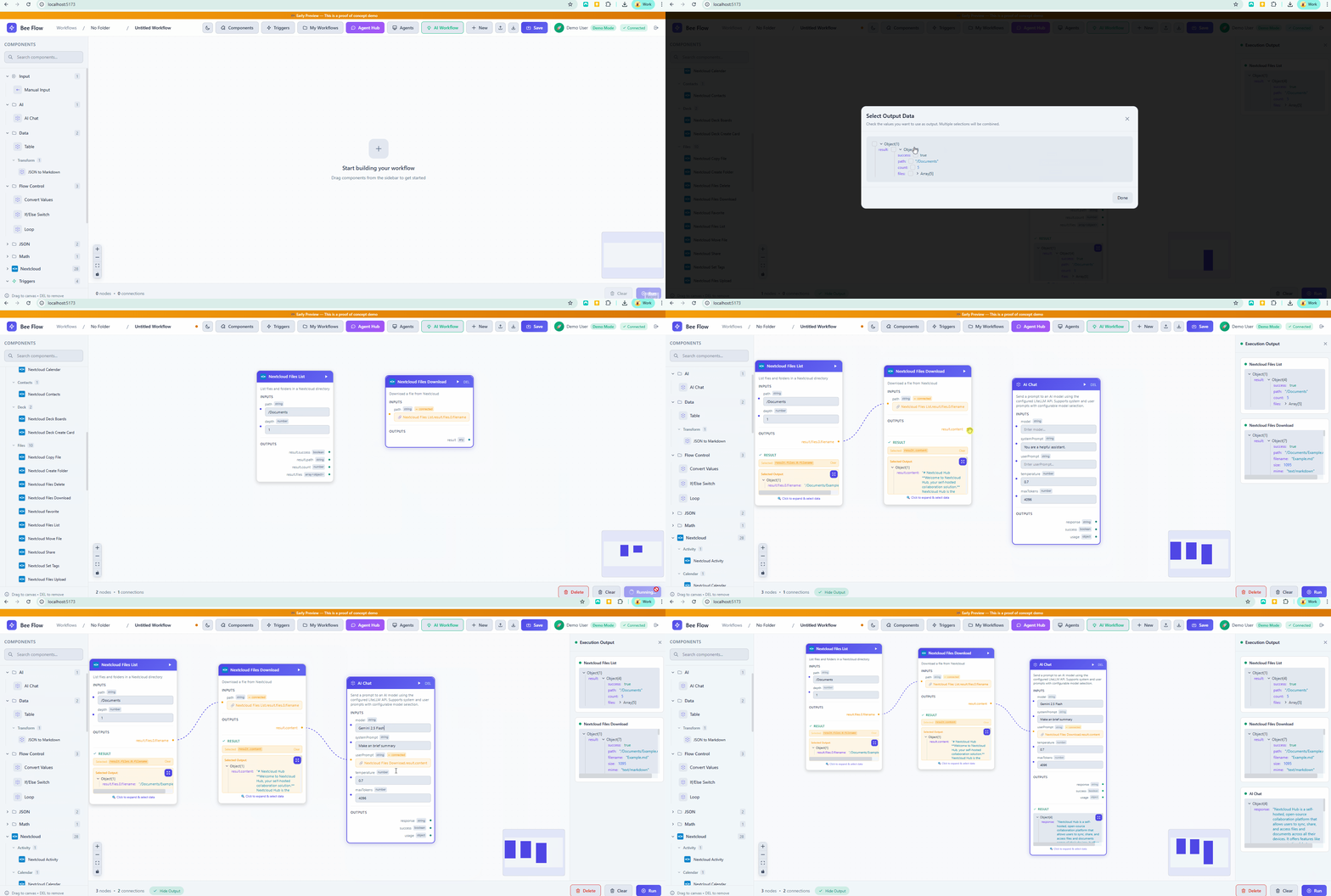
Creating a Nextcloud workflow step by step

AI Workflow Designer
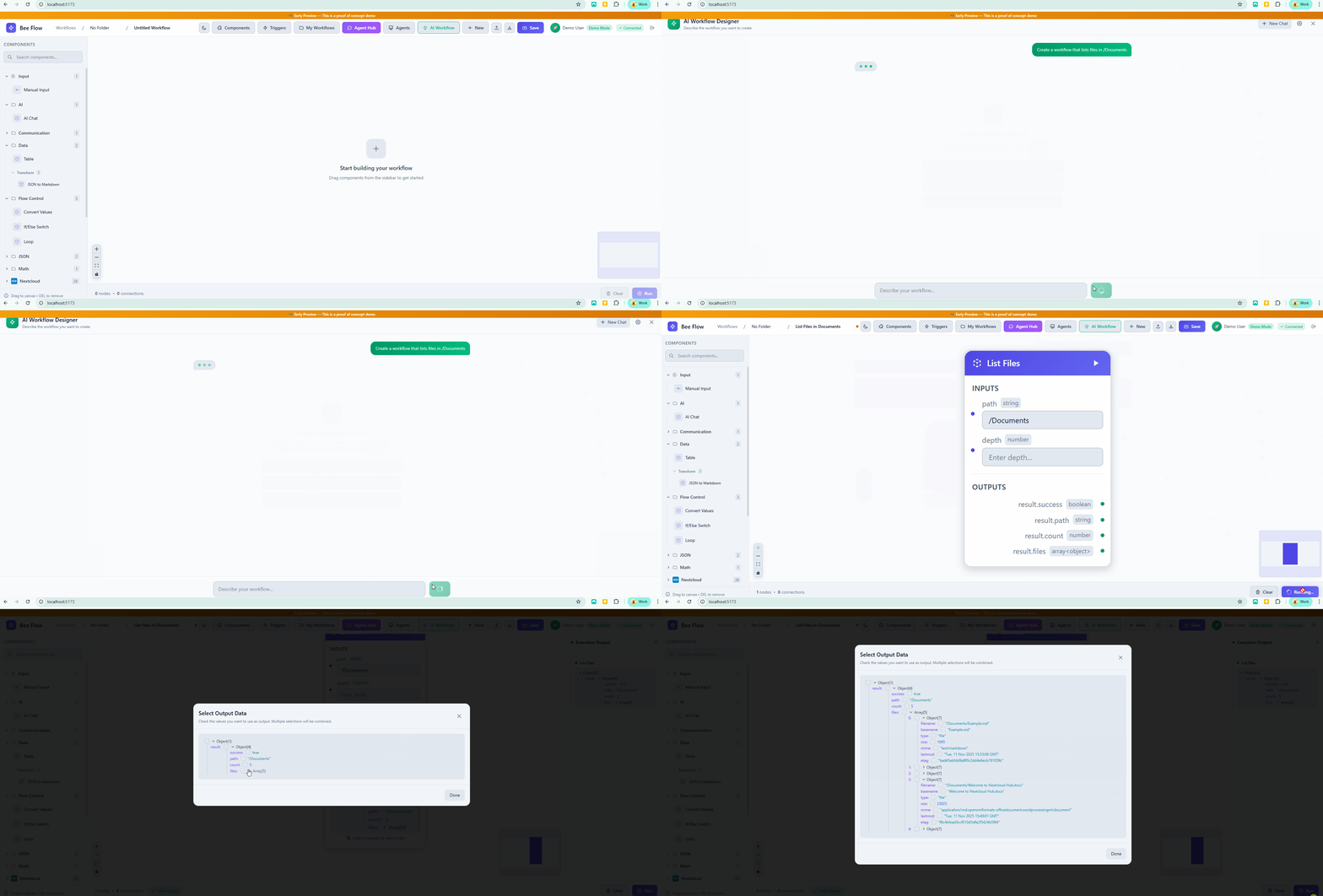
AI Workflow Designer demo

Simply describe what you want to automate. The AI understands your intent and builds the workflow for you, selecting the right components and configuring connections automatically.

Node Types

Workflows consist of different types of nodes that serve specific purposes.

Trigger

Trigger Nodes

Start your workflow execution. Every workflow needs at least one trigger.

  • Webhook - HTTP endpoint
  • Schedule - Cron timing
  • File Watcher - File changes
  • Subworkflow - Called externally
Action

Action Nodes

Perform operations on data or external services.

  • HTTP Request
  • Nextcloud Operations
  • Email Sending
  • AI/LLM Calls
Flow Control

Flow Control

Control the execution path of your workflow.

  • If/Else - Conditions
  • Loop - Iteration
  • Convert - Type conversion
  • Subworkflow - Call other workflows

Data Flow

Data flows between nodes through connections. Each node receives input from upstream nodes and produces output for downstream nodes.

Trigger webhookData, headers
HTTP Request response, statusCode
Transform result
Output final data

💡 Accessing Previous Node Data

Reference outputs from previous nodes using their node ID. For example: {{nodeId.outputField}}

Execution

Manual Execution

Click the "Execute" button to run the workflow immediately. Great for testing and debugging.

Webhook Trigger

Send an HTTP request to the workflow's webhook URL to trigger execution.

POST /api/workflows/{id}/webhook
Authorization: Bearer {apiKey}
Content-Type: application/json

{"your": "payload"}

Schedule Trigger

Configure a cron expression to run workflows on a schedule.

*/5 * * * *  # Every 5 minutes
0 9 * * *    # Daily at 9 AM
0 0 * * 0    # Weekly on Sunday

Execution History

Track and debug every workflow execution with detailed logs.

📋

Full Logs

See complete input/output for each node in the execution

🔍

Step-by-Step

Trace data flow through each step of your workflow

⚠️

Error Details

Get detailed error messages and stack traces for failures

🔄

Re-execute

Re-run failed executions with the same or modified inputs